MyXR Lab: two kinds of admin, and a classroom inside a headset.
Twelve weeks on both halves of one XR learning platform. I mapped the web dashboard that institutions run it from, then designed the in-headset interface for an electric-vehicle course.
Fig. 01The platform’s identity, created by the VTF team. Boomy, on the right, comes back inside the course as the voice of the hint panel (Fig. 10).
- Researched EV types and components for the course
- Wrote the PRD’s login and module & level selection sections
- Mapped the admin dashboard flows for both admin roles
- Designed the glass visual style shared by the dialogue boxes and panels
- Designed the dialogue, hint, info and tutorial panels
- Designed layered exploration, the EV panels and the drag-and-drop assessment
- The rest of the PRD: goals, Bloom’s mapping, comfort rules
- The platform’s age tiers and module format, set before I joined
- The MyXR Lab logo, the three characters and the 3D models
One learning platform, used on a laptop and inside a headset.
MyXR Lab is Virtualtech Frontier’s XR learning platform, and I worked on both ends of it: the web dashboard institutions use to run it, and a headset course for future EV technicians.
Content is tiered by age — under 12, teens 13–17, and TVET or polytechnic learners 18–23 — in 60–120 minute modules split into roughly 15-minute sections. Assets stay low-poly so standalone headsets keep their frame rate: lag and nausea are what the team defined as a poor XR experience.
InsightBoth halves had the same job: show each person only what they need right now — an admin only their own institution, a learner only one layer of the car.
One dashboard, two very different admins.
“Admin” hid two different jobs, so I mapped them as two separate trees instead of one flow full of conditional states.
The Master Admin at VTF registers, edits and removes institutions, drills into analytics from institution to class to student, and manages each institution’s admin account. The Super Admin at a school or polytechnic only works inside their own institution: their account, their classes, their students and their assessment reports.
Permission boundaries became navigation boundaries — each role’s dashboard only lists the modules that role can use. Tenancy is fixed at activation: the school name on a Super Admin’s form cannot be edited.
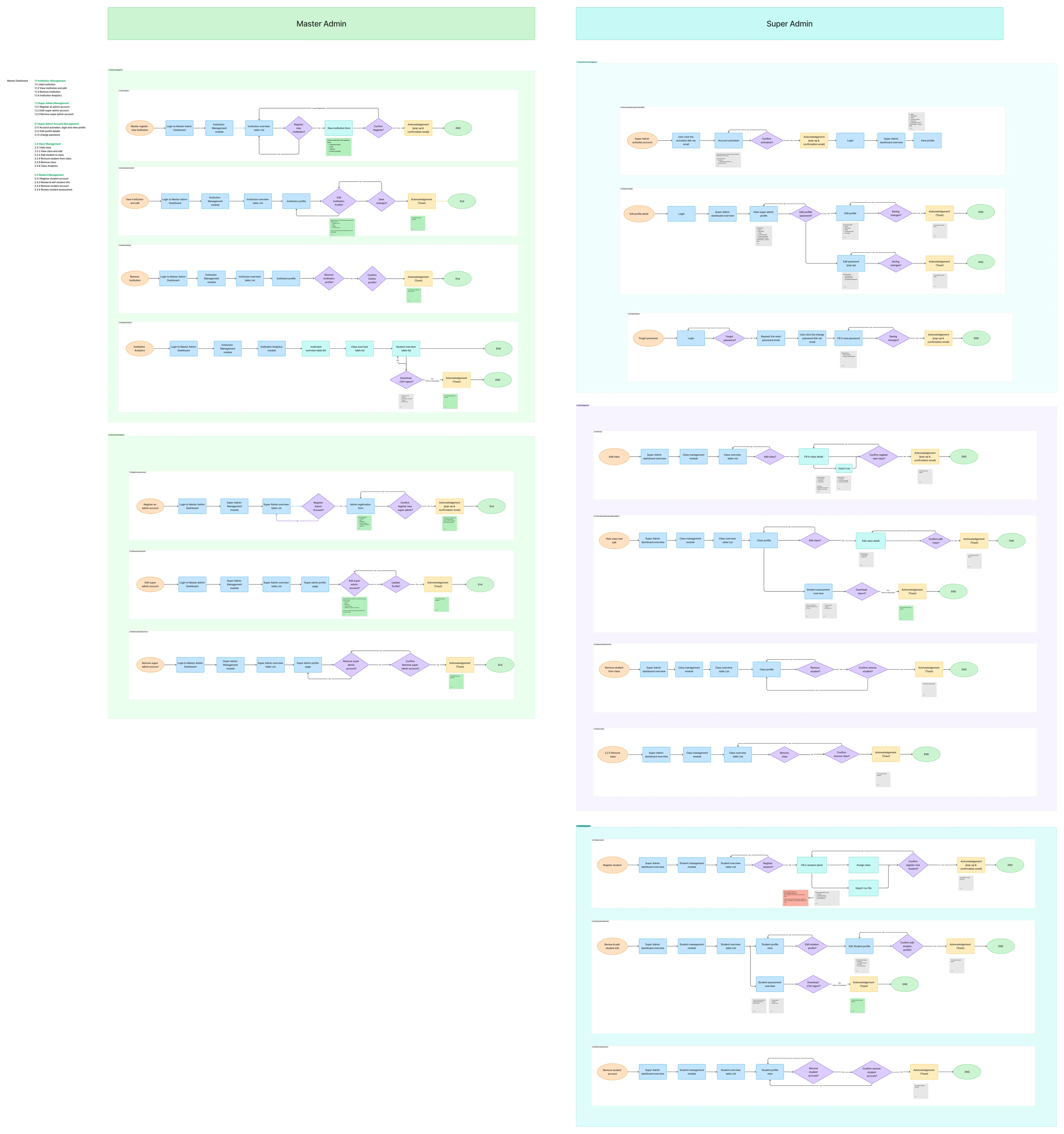
Fig. 02The whole flow file. VTF’s Master Admin on the left, the institution’s Super Admin on the right — the two columns share no modules. Open full size ↗
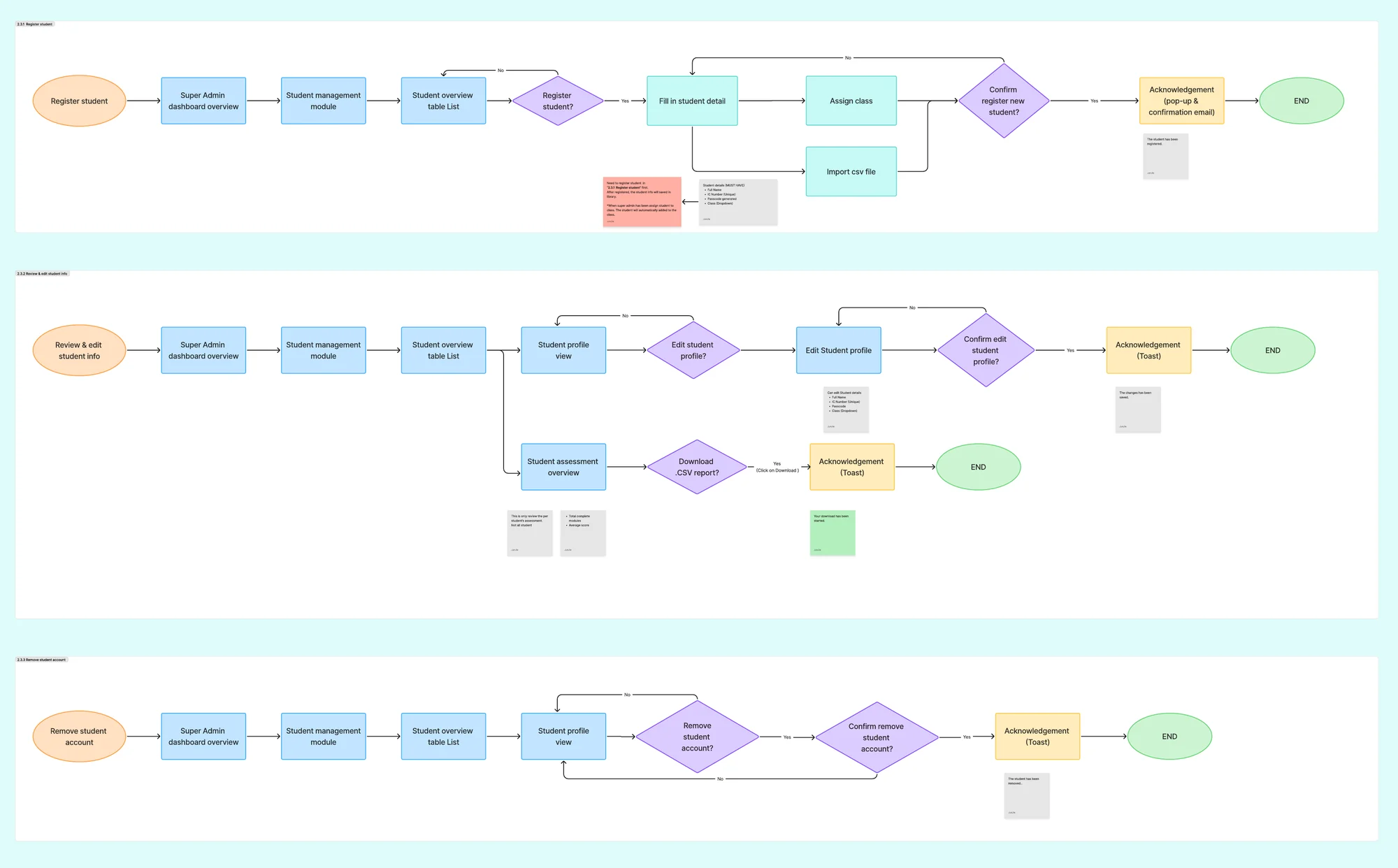
Fig. 03Student management on the Super Admin side. A student is registered once into the institution’s library — by form or CSV import, keyed on a unique IC number — then assigned to a class.
High-voltage work is dangerous to practise, so the course lets learners fail safely.
The second workstream was a headset course on electric vehicles for TVET learners — taught in VR first, then practised hands-on in mixed reality — built from a product requirement document I co-wrote with the team.
The PRD’s case for VR: simulate real workshop tasks and SOPs, give hands-on practice without real-world risk, and allow safe failure with immediate feedback. Its learners — school leavers, community-college students and early-career trainees — prefer tasks to memorising theory.
I researched EV types and components first, then wrote the login and module & level selection sections. In VR the entry experience decides whether a trainee comes back, so both had to be effortless.
The PRD’s comfort rules — teleport-only movement, sessions capped at 15–25 minutes, every instruction voiced — set the frame for the whole course. Inside that frame, each panel I designed answers a specific rule.
| PRD rule | Section | My interface decision |
|---|---|---|
| Avoid forced tutorials | 6.4 UI design | The mentor’s first line is a fork: “I’m new here, guide me through” or “I’m familiar, I’ll skip the tutorial” (Fig. 05). |
| Friendly welcome with a mentor character | 5.3 Gameplay journey | Professor Farahdi opens the course in a floating dialogue box with her portrait, before any controls appear. |
| One instruction at a time | 4.2 UX principles | During assessment a single Current Task panel holds the one instruction in play (Fig. 12). |
| Large, high-contrast text in short phrases | 4.3 Accessibility & comfort | Type size and box placement tuned for reading comfort in the headset first, looks second (Fig. 09). |
| Avoid colour-only indicators | 4.3 Accessibility & comfort | Every speaker has a colour and a name in the header, so colour is never the only cue. |
| Introduce 1–2 new concepts per scene | 4.2 UX principles | Structure, power source and energy flow are three separate layer switches (Fig. 08). |
| Unlock the next task only after understanding is shown | 5.3 Gameplay journey | Comparison Mode stays locked until all four EV types have been explored (Fig. 06). |
| Incorrect actions trigger hints, not failure | 5.3 Gameplay journey | Hints come from Boomy in a panel of their own, separate from the story (Fig. 10). |
TableFrom requirement to screen. The rules are quoted from the team PRD; the decisions on the right are the panels I designed.
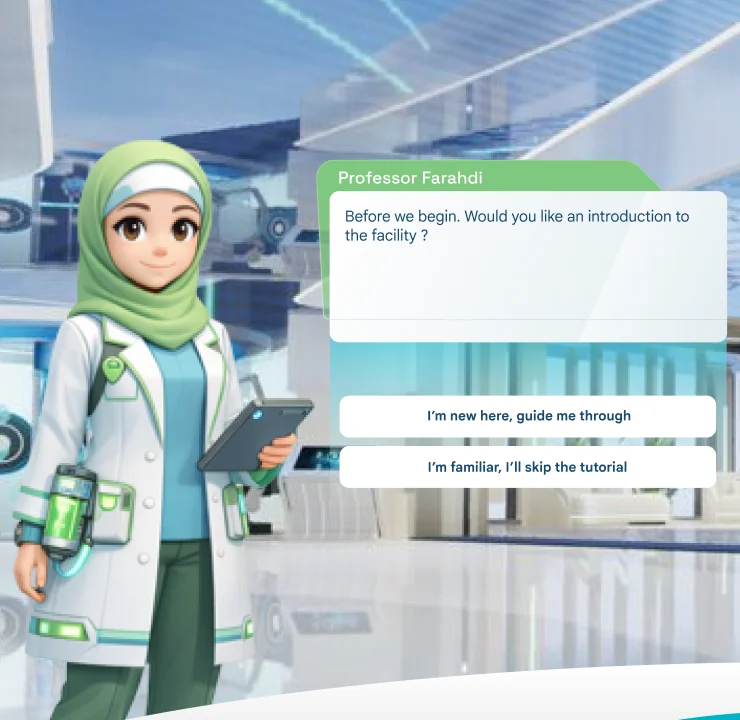
Fig. 05The entry fork. A first-timer gets the guided tour; a returning trainee skips straight to the lesson, so the tutorial is never forced.
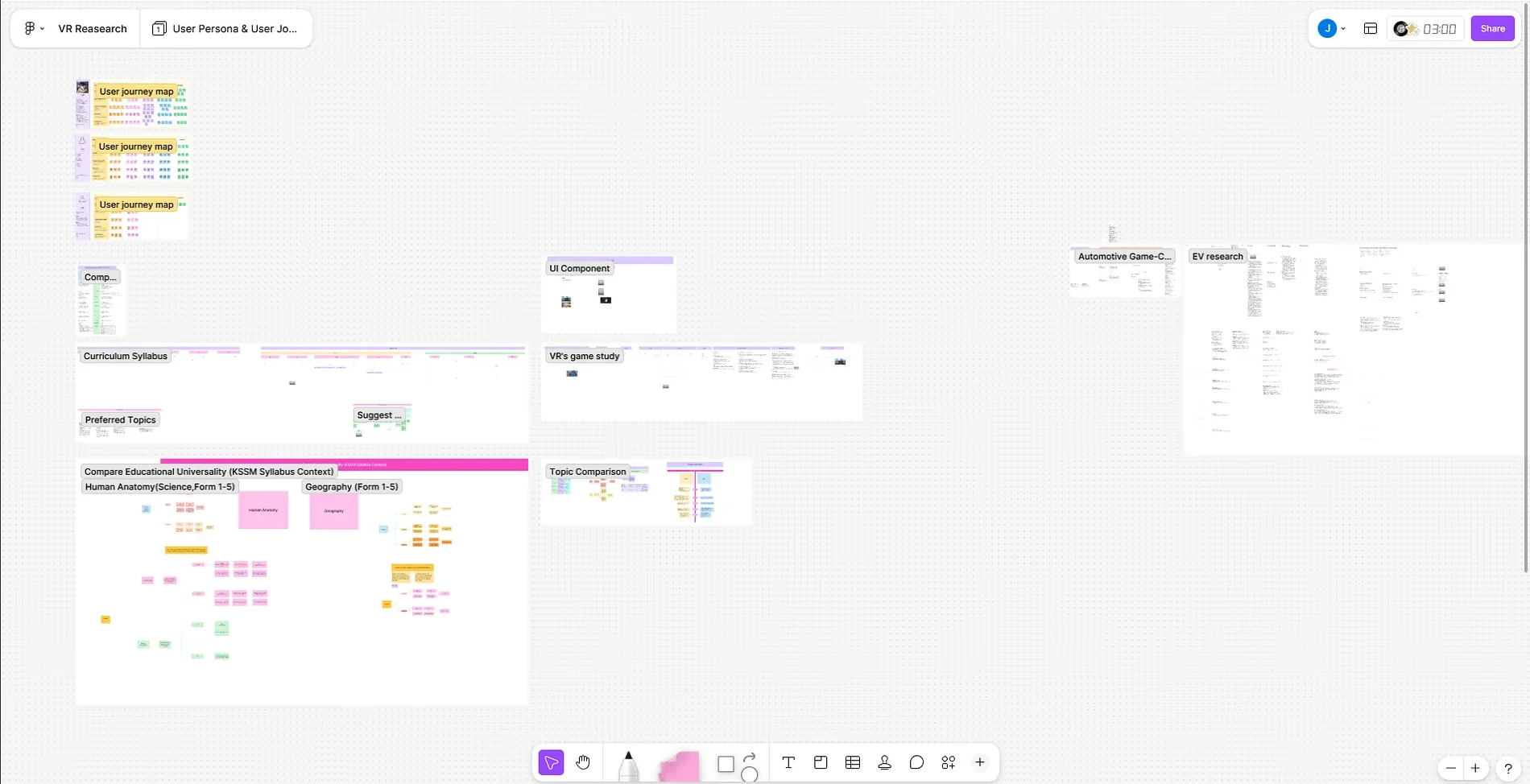
Fig. 04The VR research board in FigJam: journey maps and syllabus comparisons on the left, the EV research notes on the far right.
Show the car one layer at a time, not as one exploded diagram.
An EV holds more structure than a learner can take in at once, so the lesson breaks it into visual layers that the learner switches on in sequence.
Structure, power source and energy flow are three separate toggles, and a component opens an info panel only when the learner asks for depth. The learner sets the complexity curve instead of absorbing it all at once.
The four EV types get the same treatment. Every spec panel keeps one layout and one order — energy source, range, energy flow, key features — so whoever reads one can compare the other three without relearning the frame.
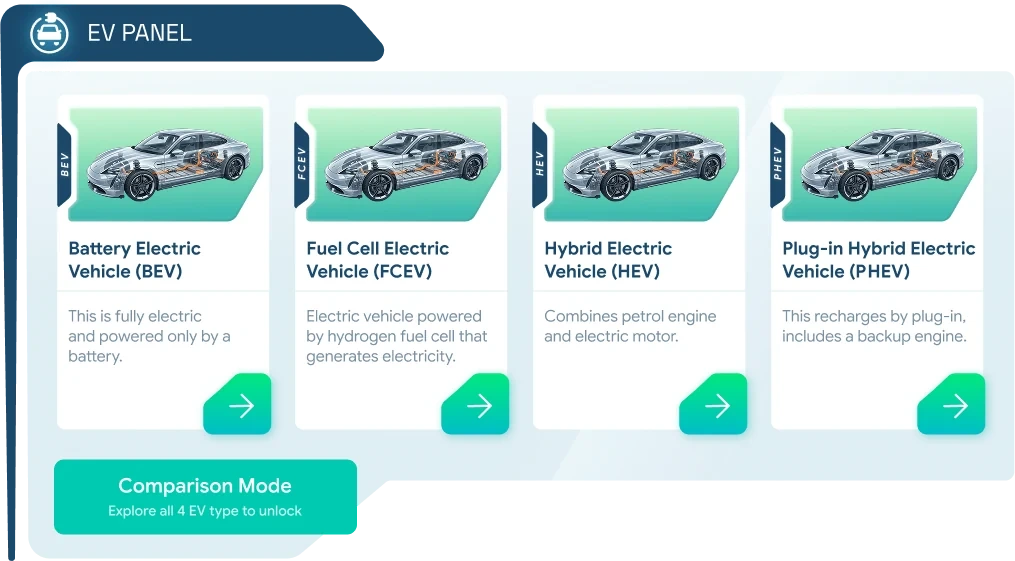
Fig. 06The category screen. Comparison Mode stays locked until all four types are explored, so the lock itself is the prompt to keep going.
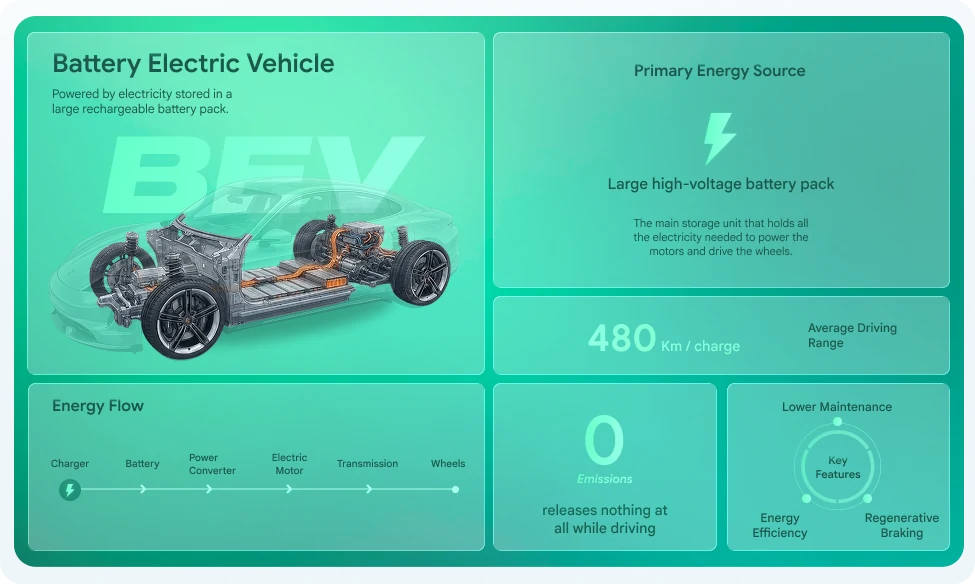
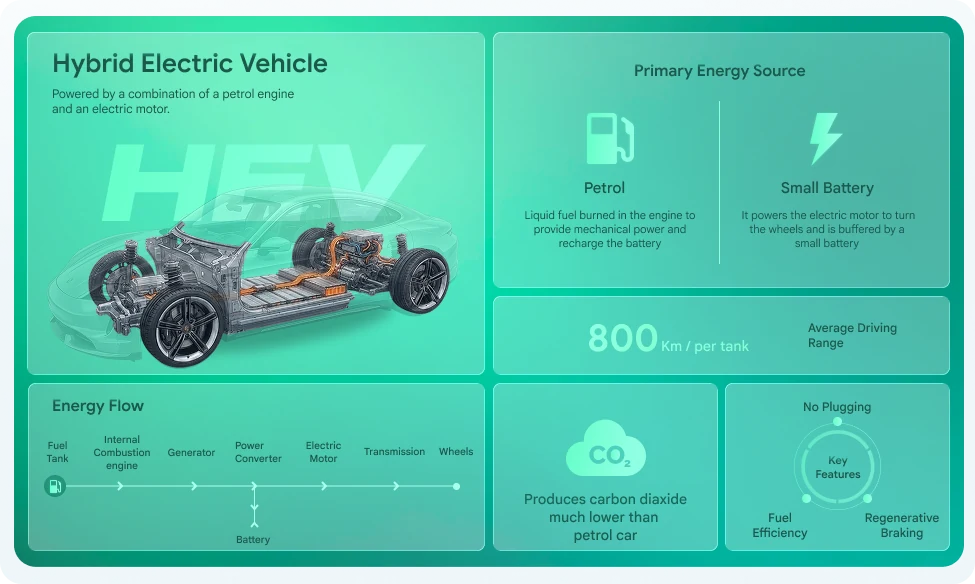
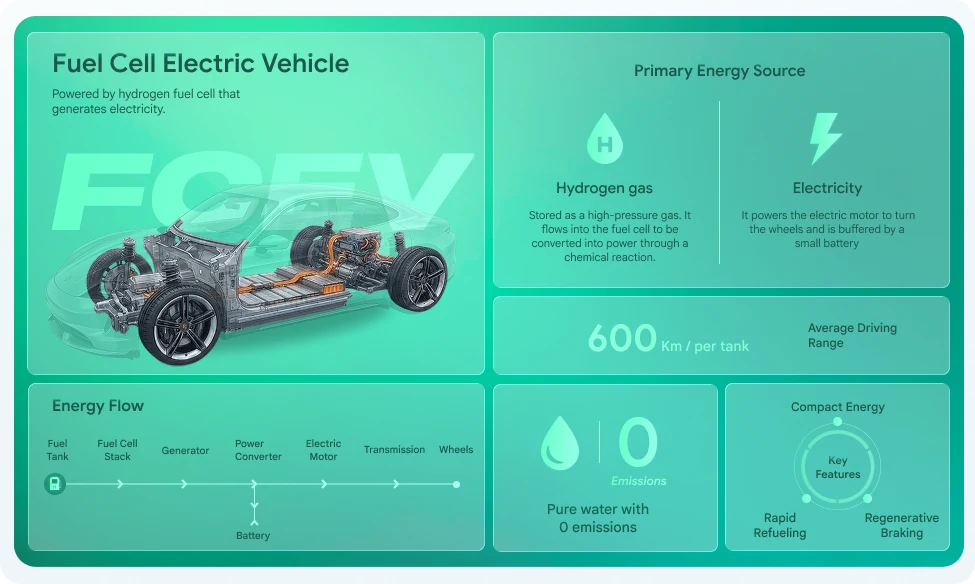
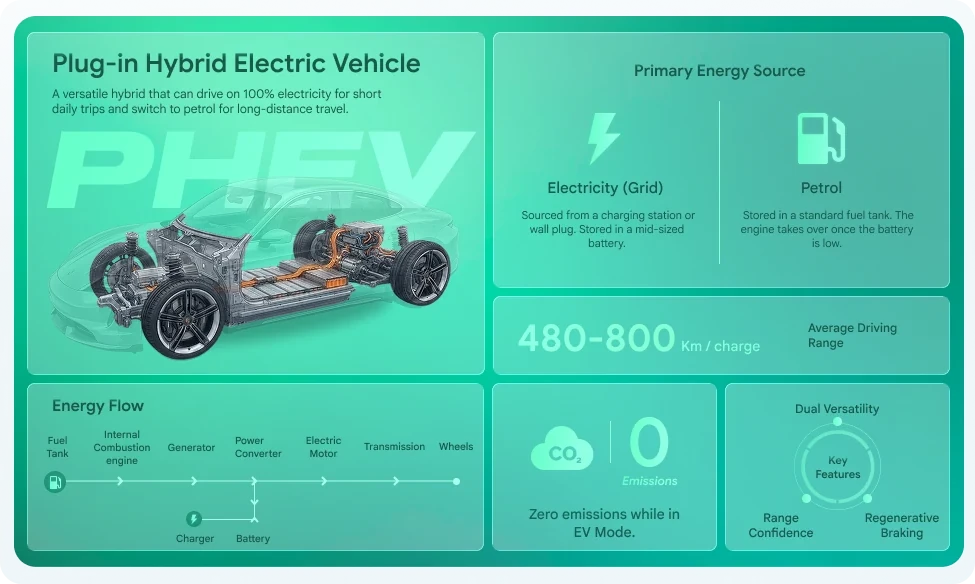
Fig. 07Four panels, one frame: only the energy source, range and energy flow change. Compare the flow strip at the bottom left of each.
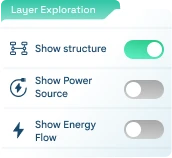
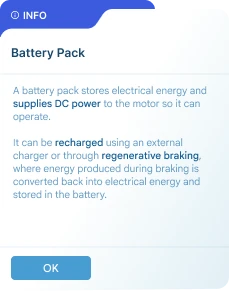
Fig. 08Three independent layer switches, not one all-or-nothing view (left), and the info panel a component opens on demand (right).
In a headset, a dialogue box is a comfort problem, not a type problem.
Text that is hard to read in a headset is tiring, so I tuned font size and box placement for readability and comfort first, looks second.
I ended with three variants: a standard box with back and next, an auto-advance box for narration, and a floating box with a portrait for each speaker, all in one glass style I set for the whole UI. Each speaker keeps one colour — teal for B.O.O.My, green for Professor Farahdi, red for Professor Kaldor — so the learner knows who is talking before reading a word.
When the story asks for a choice, there are only two options, and the next arrow stays disabled so a decision can’t be skipped.



Fig. 09Standard, auto-advance and floating, top to bottom. The header colour names the speaker in every variant.
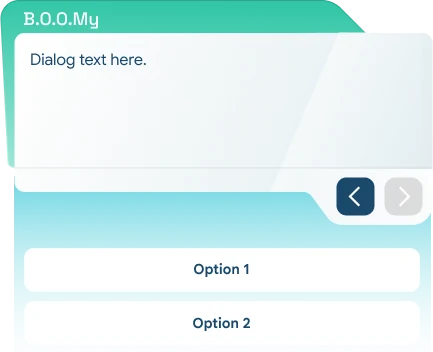

Fig. 10Two response options with the next arrow greyed out (left). In the hint panel, Boomy carries the hint, so help has its own voice (right).
Instructions and warnings must never look like the story.
A learner has to tell instruction from narrative at a glance, so tutorial, hint, info and safety panels each got their own labelled header, separate from the character dialogue.
The safety note is the loudest of them: every high-voltage circuit, up to 800V DC, is orange-coded and must be treated as live until de-energisation is verified. It is the one panel nobody should skim.
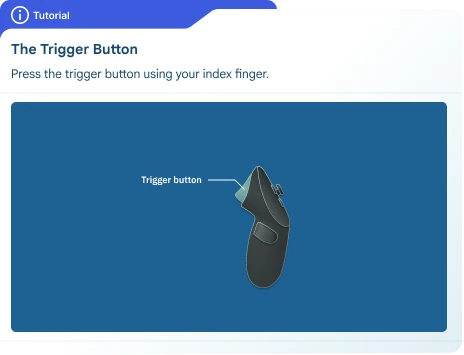
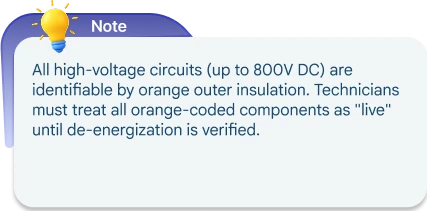
Fig. 11A tutorial teaches the controller (left); the note carries the high-voltage rule (right). Neither borrows a character’s colours.
Test the knowledge without a keyboard or a quiz.
For the assessment module I designed drag-and-drop matching instead of a quiz: the learner shows they understand by putting things where they belong.
Two tasks share one frame. First, drag each EV type and its energy-flow chain onto the matching cutaway car. Then grab the right energy source from the parts shelf and fit it to the car in front of you. One Current Task panel at the top holds the single instruction in play, and Boomy confirms progress in the same dialogue style as the rest of the course.
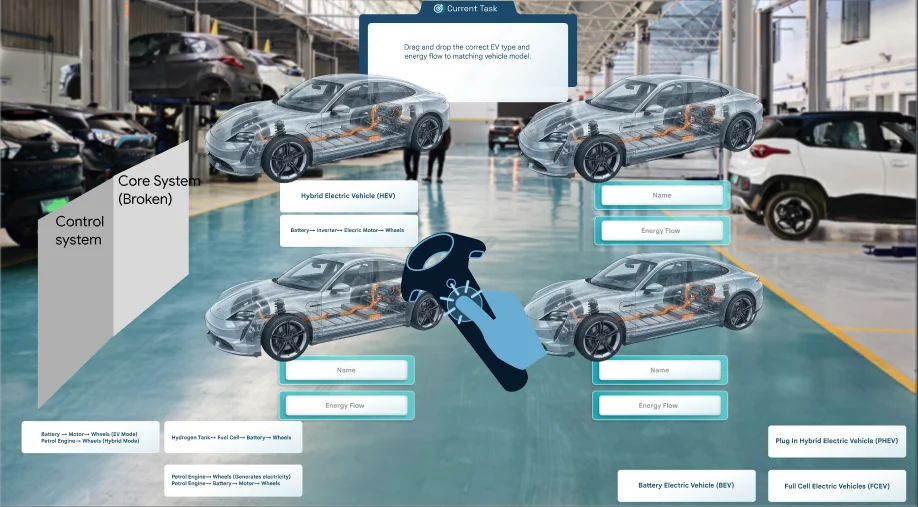
Fig. 12Task one: match each EV type and its energy flow to a car. Figma mock-up over a reference photo; the grey blocks stand in for 3D props.
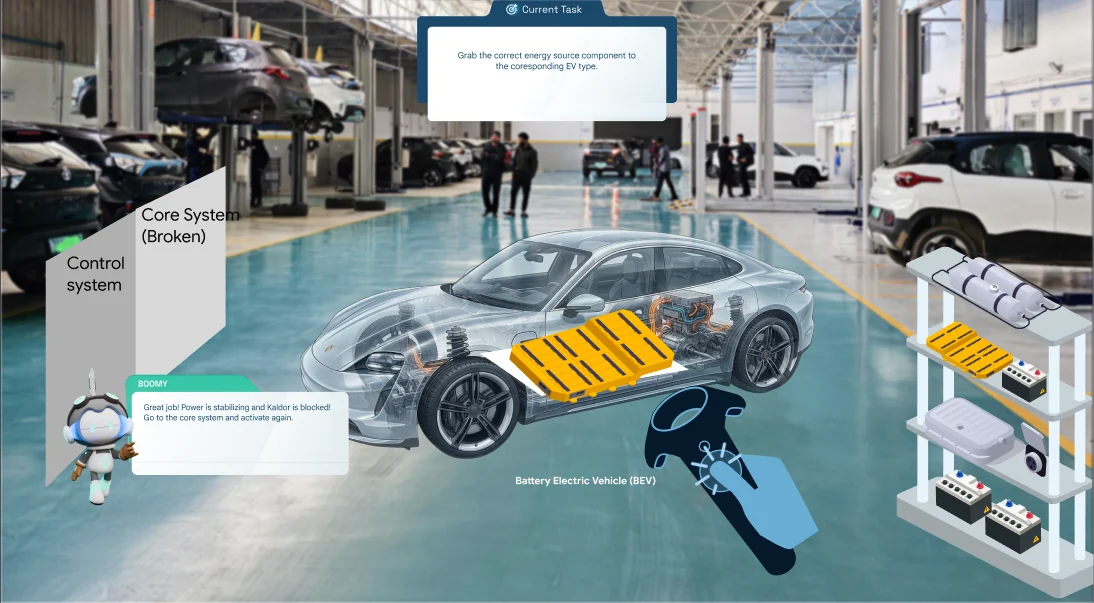
Fig. 13Task two: fit the right energy source. The reward is in the story — Boomy reports the power coming back — so the test reads as part of the simulation.
A flow file, two PRD sections and a UI kit for the headset.
Everything went to the team as working files: the admin flow file for both roles, my two PRD sections, and a UI kit for the EV course.
The kit holds three dialogue variants for three speakers, four panel types, the layer toggles, the EV category screen with its four spec panels, and the drag-and-drop assessment.
Studio work starts with the client’s brief and ends with a file someone else can open.
Client feedback isn’t interference — it is the brief getting more accurate. In a studio, the design has to serve the business behind it.
Handoff is a design skill too: Figma layers organised so a colleague can work in them, and a Figma deck rebuilt as a genuinely editable PowerPoint because that was what the client could use.
Next, I would put the dialogue boxes and layer toggles in front of trainees wearing a headset and check two things: can they read a full box comfortably, and do they switch layers on their own or wait to be told?
Coffee Je: a slow-coffee brand, from concept to accessible system.