An iPhone app with one user, built by sessions that forget.
值得 (Worth) tracks what I own and what each thing costs me per day. Claude wrote every line of the code, and I don’t read Dart. So my work was deciding what to build, writing it down so each new session could carry on, and having the final say on every screen.
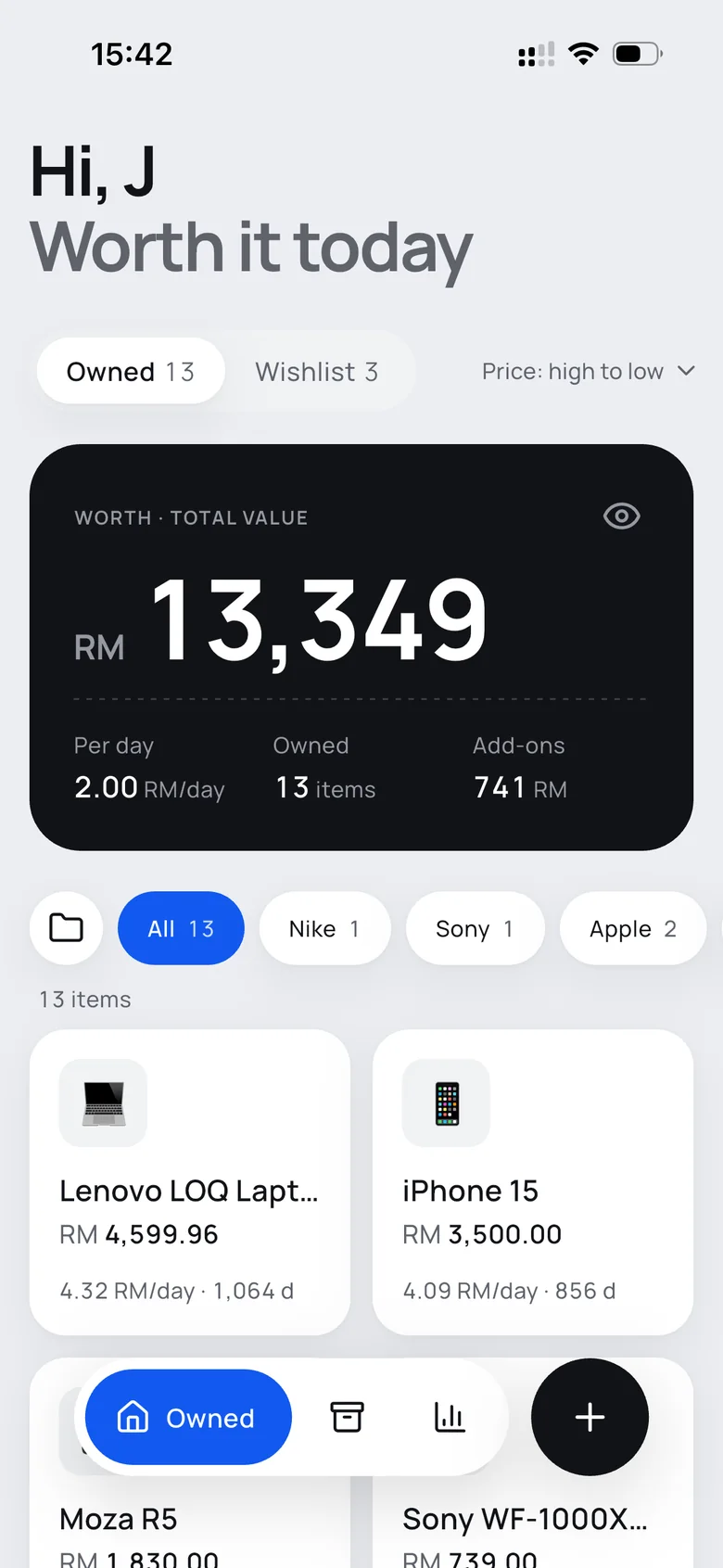
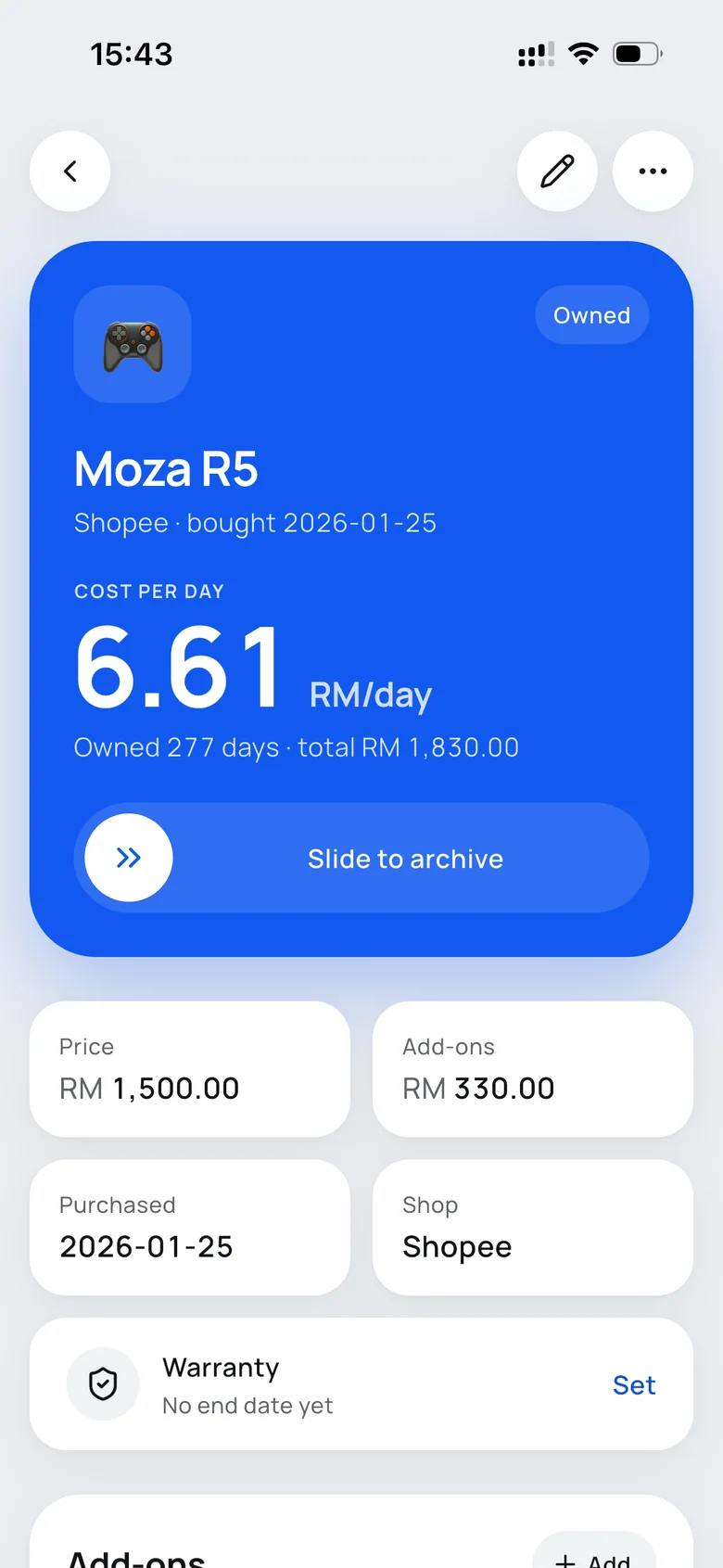
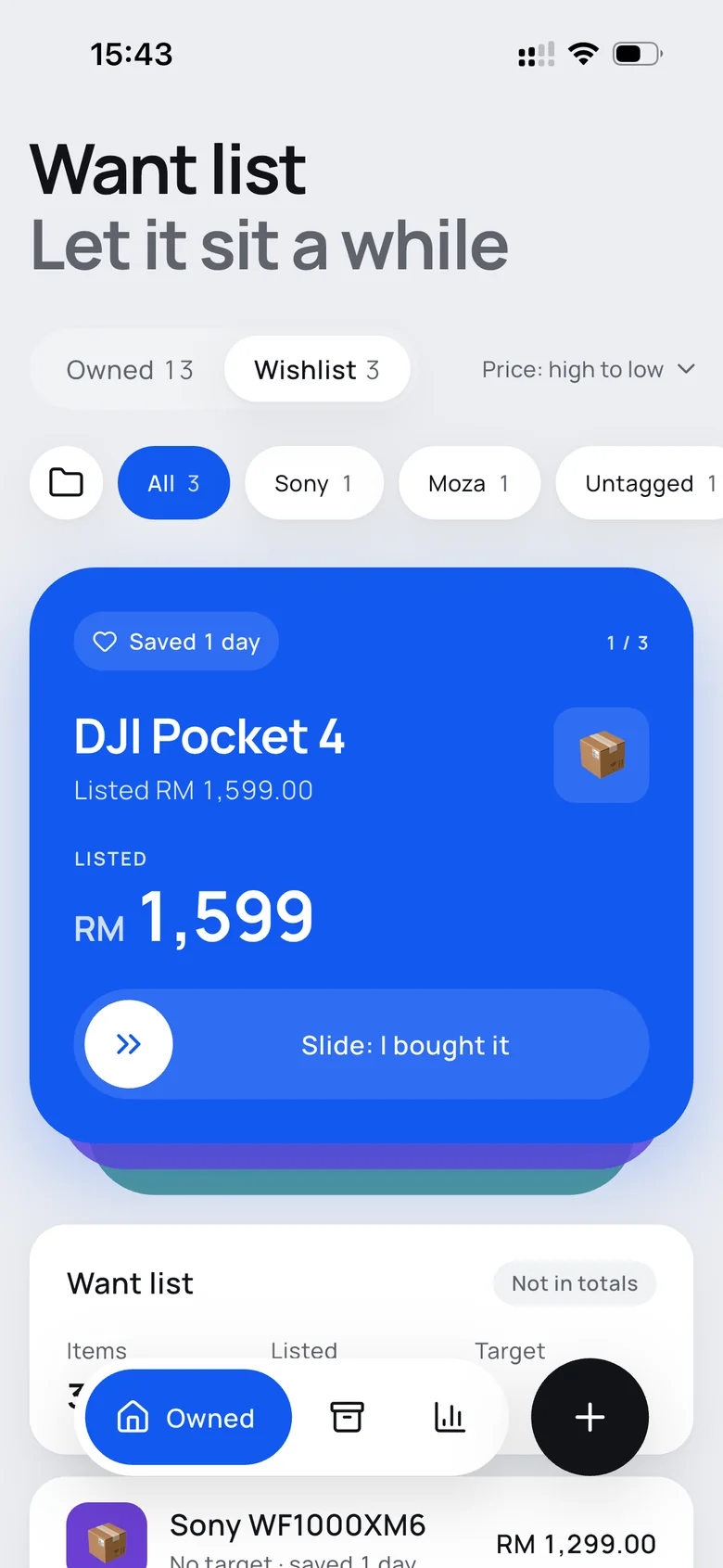
Fig. 01Home, an item, and the want list, screenshotted on my iPhone in the English version of the app.
- Picked the question the app answers: what does each thing cost me per day?
- Agreed the order of work: ten stages, each finished and saved before the next
- Signed off the rules every new session follows, written into one roadmap file
- Reviewed the redesign and changed it in four places
- Chose the name and the icon, and tested on my own phone
- Wrote the Flutter app, five database versions and 13 test files
- Kept the roadmap up to date at the end of every stage
- Set up the cloud build, because I don’t have a Mac
- Drew the design system, the screen mock-ups and six icon options
Price tells you what you paid. Cost per day tells you if it was worth it.
I buy most things on Shopee and Lazada, and then I forget about them. My RM 4,600 laptop, used almost every day for nearly three years, now costs less per day than the RM 1,500 racing wheel I bought this January.
So the whole app is built around one number: the price, plus any upgrades, divided by the days I’ve owned it. On an item’s page, that number is bigger than the price. It falls every day I keep using the thing, and stops when I let it go.
A paid iOS app already does this. I wanted my own version, for me alone, without borrowing its name, icons or artwork.
A web page at home, then a copy on the phone, then an app of its own.
- June: a web app on my home server.Next.js and SQLite in Docker on my NAS. It worked, but only on my home network, and it never felt like an app.
- September: the same app, on my iPhone.A Flutter copy of the web version that works offline. I don’t have a Mac, so GitHub Actions builds it in the cloud and I install it myself. The nine items from the server came across in a JSON backup, with tags that had been escaped twice cleaned up on the way.
- October: ten stages, a new name, a new design.Over two days: a wishlist, collections, a history of upgrades, warranty dates and reminders, receipt scanning, a year in review, then a full redesign and seven new analysis cards.
In the middle of that, Things Pro became 值得, “worth it”. Claude drew six icons and I picked the fifth: a box with five ticks on its side, like days on a calendar, with the last one blue.
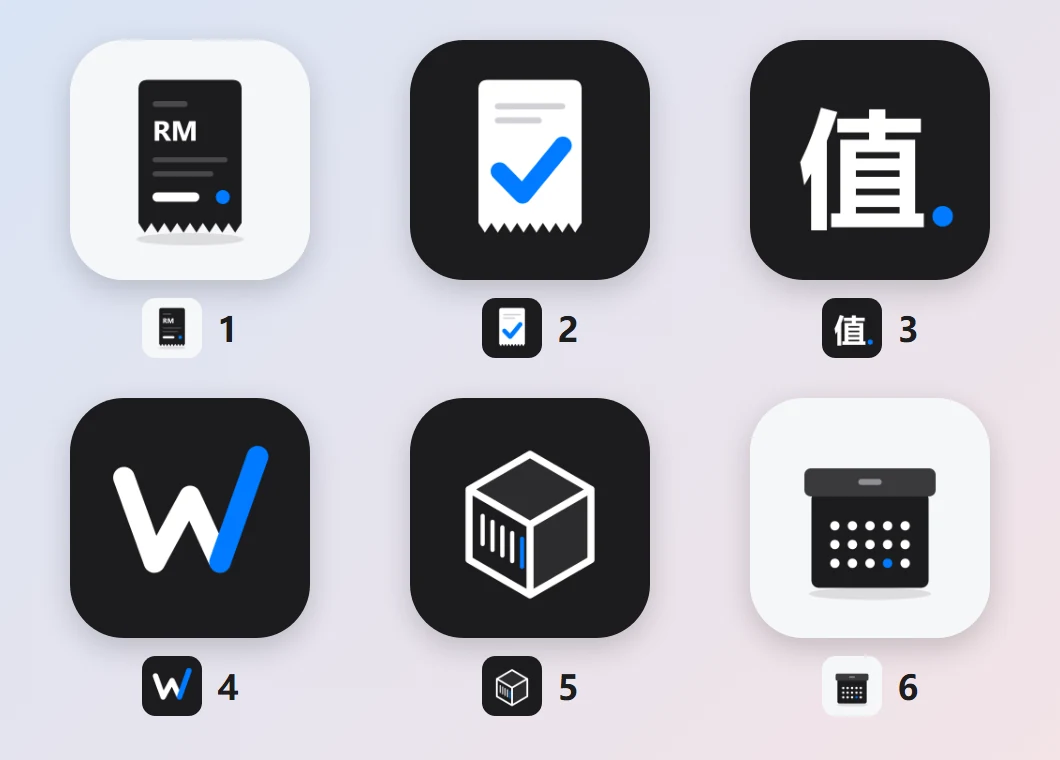
Fig. 02The six icon options. Number 5 is on my home screen now: it says “things” and “days” without words.
I can’t read the code, so I made sure the next session could.
Each Claude session starts with no memory of the last one. On a project this size that matters more than any single feature: a new session that guesses where things stand will happily redo or undo work.
So the project has one roadmap file, in Chinese, that every session reads before touching anything. It says what’s done, what’s next and what was decided, with the reason next to each decision. At the end of every stage, the session updates it.
On 27 October I signed off four rules, now at the top of that file:
- Look before you start.Check the saved state first. Unsaved changes might be another session’s half-finished work, so never throw them away.
- One stage, one save point.When a stage passes its tests, save it locally without asking me. Each stage can be rolled back on its own.
- Never publish without asking.Nothing leaves my computer until I say so, and no save point gets rewritten.
- Explain it to me as a user.Tell me what a change means for the app, not how the code works.
The rules also kept two sessions apart. The redesign ran in its own session, and the new features waited until it was finished, so the two never edited the same files at once.
LessonEvery session forgets, but the file doesn’t. Writing down the reason, not just the decision, is what stopped the next session from undoing it.
The app holds real records, so every change has to keep them.
The scariest thing this app could do isn’t look bad. It’s to open after an update with nothing in it. So the roadmap has a section on changing the database, and it’s the one part that never gets skipped.
The database changed shape four times, and each change came with a test that builds the old version, fills it, upgrades it and checks nothing went missing. Old backups still import. Photos are saved by name instead of full path, after we found that a reinstall moves the folder and breaks every image.
The rename followed the same rule. The name on the home screen, the icon and the backup files changed. The app’s internal ID and data folder did not, because changing them would make the iPhone treat it as a brand-new app, with an empty database.
So did the English version, added last as a setting. Anything already stored stays in Chinese, like the four ways an item can leave, and is only translated on screen. Switching language changes nothing in the database or in a backup.
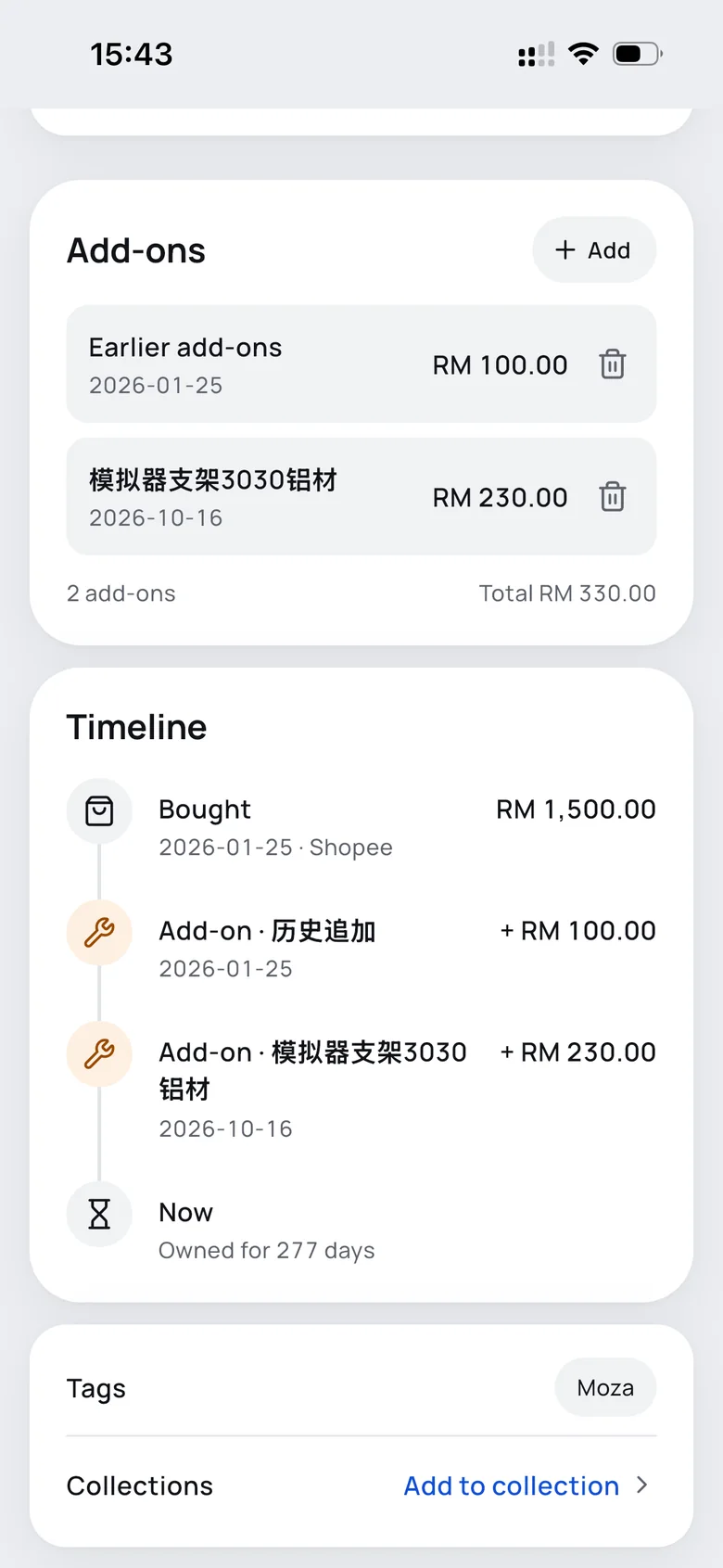
Fig. 03Add-ons used to be one number. Now each has its own date, and the timeline is built from them. Older items got a single “Earlier add-ons” entry, so their totals didn’t change.
The design system was a starting point. The screens had the final say.
For the redesign, Claude drew a design system first: a light grey canvas, white cards, one cobalt brand colour, black kept for cards about money and a lime used only for highlights. Then seven screens built from it, which I reviewed on a shared canvas before any code changed.
Most of it I kept. Four things I changed, and the file records each one as overriding the design system:
- Items keep their emoji.The system used line icons throughout. But I spot my things by their emoji at a glance, so items keep them, and only the interface uses line icons.
- One colour per wish.Wishlist cards take turns in cobalt, purple and teal, so the cards stacked behind the first one read as different things.
- Filters sit next to what they filter.Tag filters moved from above the total card to just above the item grid.
- No Liquid Glass.The canvas had a toggle for glass on the floating controls. I left it off, so the app ships with solid surfaces.
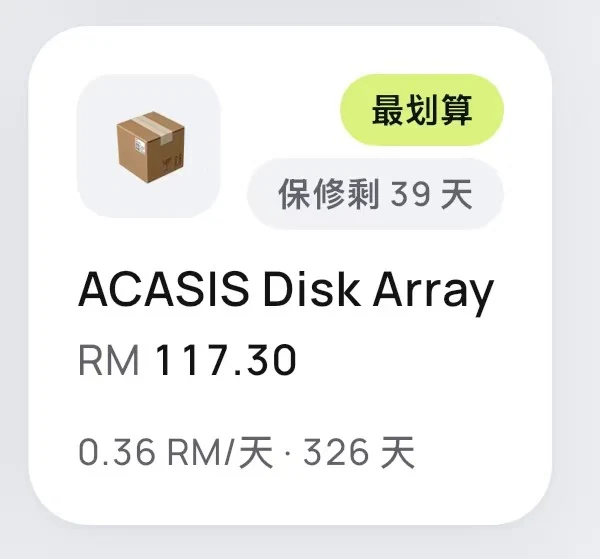
Fig. 04One item card, in Chinese: 最划算 means “best value” and 保修剩 39 天 “39 days of warranty left”. The item keeps its own emoji, and on the home screen lime marks just one item: whichever costs the least per day.
Archiving is a slide. Deleting still asks.
Archiving something and marking a wish as bought happen often, and neither destroys anything: an archived item can be restored, and a bought item keeps its photo, tags and history. Both used to open a yes-or-no dialog. Now they’re a slide: deliberate enough not to happen by accident, quick enough not to feel like a form.
Deleting can’t be undone, so it stays a red button with a dialog. The archive sheet shows how long I kept the thing and what it cost per day before I commit, and the four ways to let go — sold, gifted, scrapped, lost — stayed, even though the mock-up left them out, because older records already use them.
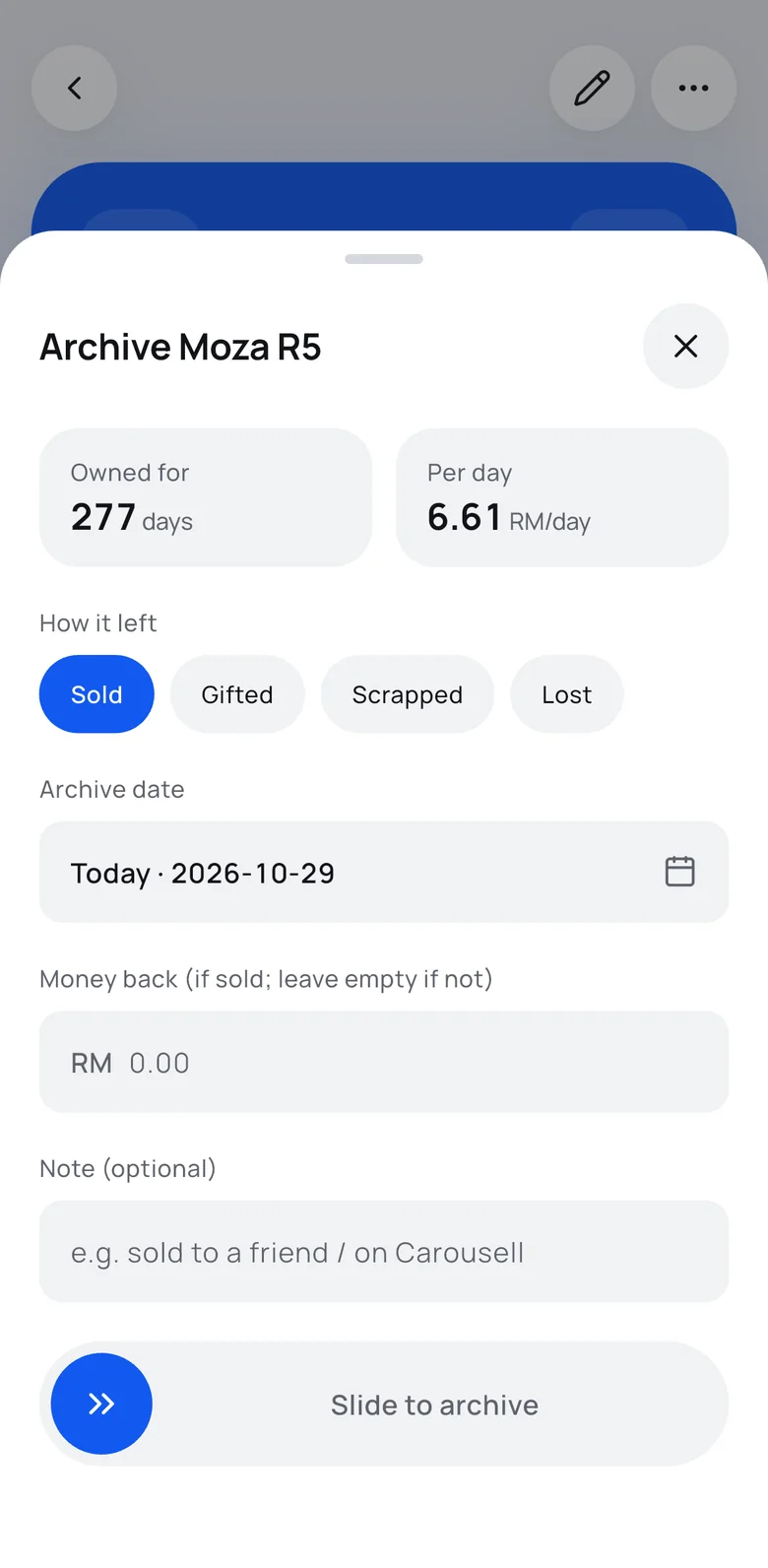
Fig. 05Archiving my old iPhone 15 after 856 days, recorded in dark mode: slide on the card, pick Scrapped, slide again. Right, the same sheet in light mode.
The AI fills in the form. I still press Save.
Typing in every purchase is how apps like this get abandoned. So the add form starts with “Scan an order screenshot”: pick a Shopee or Lazada order, and a vision model reads the name, price, date and shop.
It fills in only what it recognised, says so in a blue note, and never saves by itself. A date in the future or a negative price counts as not recognised, and an order in another currency or with several items gets a warning. The API key stays on the phone and never goes into a backup.
Fig. 06A real Shopee order for a range extender: name, price, date and shop filled in from the screenshot, a tag added by hand, then saved.
LessonAI inside the app follows the same rule as AI in the process: it drafts, and a person confirms.
The last question the app answers is the first one: has this paid for itself yet?
The analysis tab is grouped into money, worth it or not, and reminders. In the middle group, you set a line, RM 1 a day by default, and every item shows how many more days of use it needs before its cost per day drops below it.
It turns an old purchase into a small goal. The Edifier speakers need another 23 days. The chair and a pair of Nike Air Force 1s are already there.
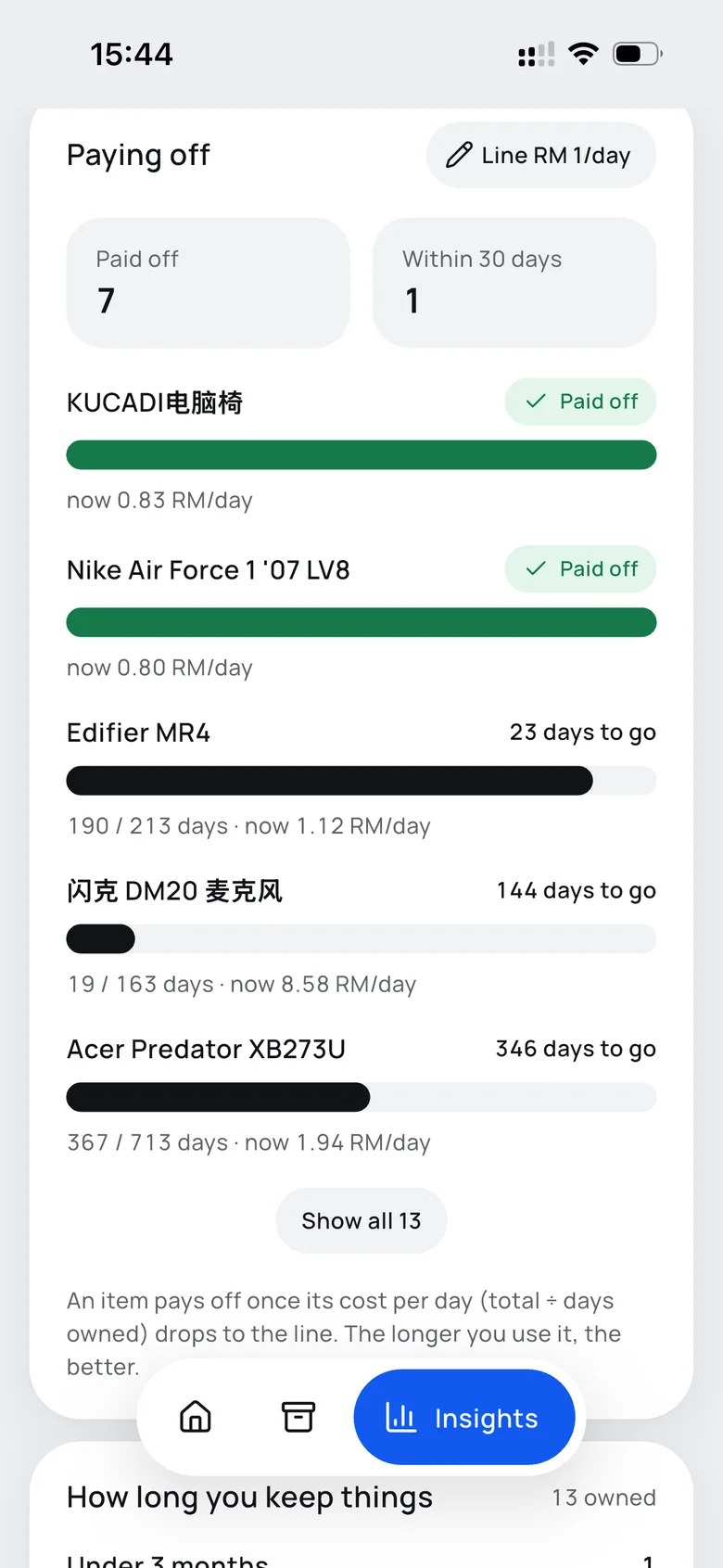
Fig. 07Paying off, with the line at RM 1 a day. Green has crossed it; black shows how far each item still has to go.
Built for one person, so some things were easy to say no to.
- Login, accounts and cloud sync — one user, and a backup file is enough
- Home screen widgets and Live Activities — not available to an app I install myself
- Warranty reminders, which may not fire for an app installed this way
- Backups that include photos, so a new phone keeps them — later
- Write down the reason, not just the decision.The next session only knows what the file says. A rule without its reason is the first thing to get “tidied up”.
- Protect the data before the pixels.Migrations, backups and an unchanged app ID are invisible, and they decide whether I can trust the app at all.
- A design system is a draft too.The mock-ups were clean and consistent. The four changes I made are what make it feel like mine.
A keyboard driver, rebuilt for the browser.